Well hello there, oft-neglected personal site I’m still paying for. It’s been, what, two years and change since the ThinkPad T530 project post? Yep, that’s long enough. More accurately, it was long enough long enough ago that I’m wasting time with this “bit” for an “introduction”. Time to finally shake the rust off and get back on my bullshit.
When I did the T530 project, I knew it was going to be a thing that had approximately a negative chance to end with just one laptop – given that it had already escalated to two during the making of that post. It felt good to get my hands metaphorically and literally dirty under the hood of some ThinkPads, and just the act of taking apart and tweaking old laptops brought back a lot of nostalgia to some of the utter nonsense I lugged around in my teenage era. When most of my friends at the time were rocking netbooks or MacBooks (the two classes circa 2010), I had beasts with Pentium CPUs, IDE hard drives, single cores, and sometimes even batteries. Trash, really. Since that time, I’ve gotten to be a both MacBook-Toting App Developer, and also a real human normal laptop person (allegedly), but I never got to give netbooks a spin during their heyday.
For the unenlightened, Netbooks are (were?) a category of subnotebook (read: tiny laptop) popular from around 2007 through to around 2013 or so. The idea behind the netbook is very much of-its-era, in a time before smartphones became ubiquitous. Netbooks offer an internet-capable device with rather solid battery life in a lightweight package. They usually sport lower-spec, lower-power, and lower-price hardware to achieve this, which helped give them a major advantage in schools. A laptop that’s perfect for doing homework, for $500 or less, was extremely attractive to parents and teachers alike. If this sounds like a ChromeBook, you’re not wrong. ChromeBooks are the direct successor to the Netbook, carrying forward the same ideas, only with a larger variety of sizes, and actually taking the bold step of switching from a full-fat operating system (usually Windows or Linux for Netbooks) for the ultra-light webapp-only Chrome OS. As a result, my thoughts on ChromeBooks are complicated, but that’s a much longer story for another day, and I’ll need to acquire one and actually use it first before passing judgemement. But I digress.
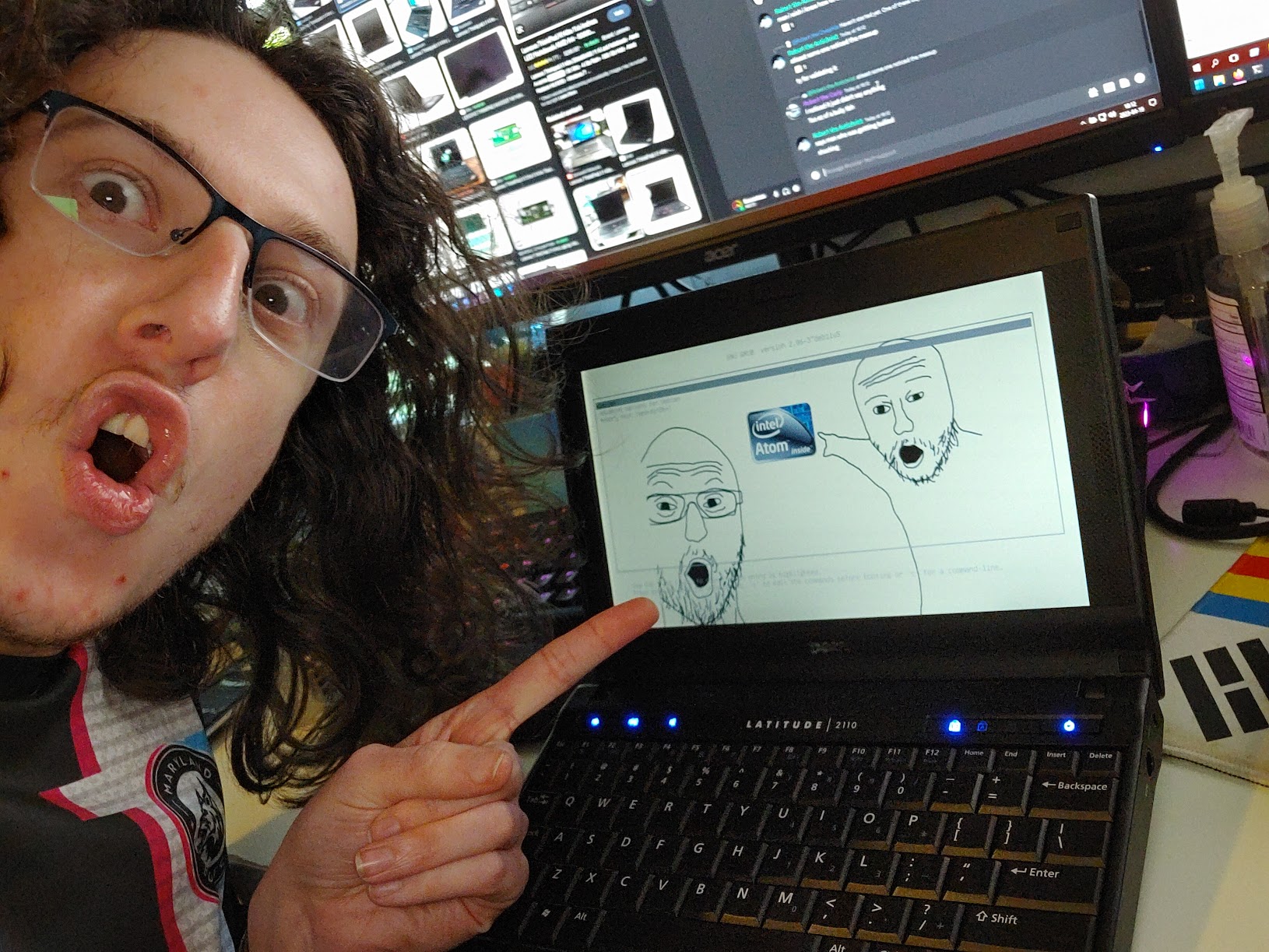
My first properly-hands-on interaction with netbooks came not in their heyday but a decade later, when I found among the e-waste piles a Dell Latitude 2110. This absolute beast, originally released in 2009 for a whopping $389, rocks a single-core, single-thread Intel Atom N470 that even at the time was considered to be slower than dirt. Compared to the lowest-spec MacBook of the time, it boasts around 1/5 the performance for around 1/2 the price. Not great. That said, it was an computer for less than $500 new. Its 10.1 inch, 1024×600 screen can best be described as a 10.1 inch 1024×600 screen, the original storage was an 80gb spinner, and it’s hard-capped at 2gb of DDR2 memory. The keyboard is extremely cramped, the trackpad even moreso. It’s a piece of junk. And I love it dearly.

I know you’re thinking right now, what can a laptop like this actually do? The answer won’t shock you; not much. It’s long-obsolete in multiple ways and orders of magnitude slower than even a budget smartphone. But also, it’s still able to do far more than it reasonably should, like run modern versions of 64-bit Linux, something that even I didn’t think was possible when I first found it. This thing has actually been kicking around my junk heaps for years, spending most of its life as a decorative object on a shelf in my office, until I decided to actually give it a go and get my Nuggeteering on.
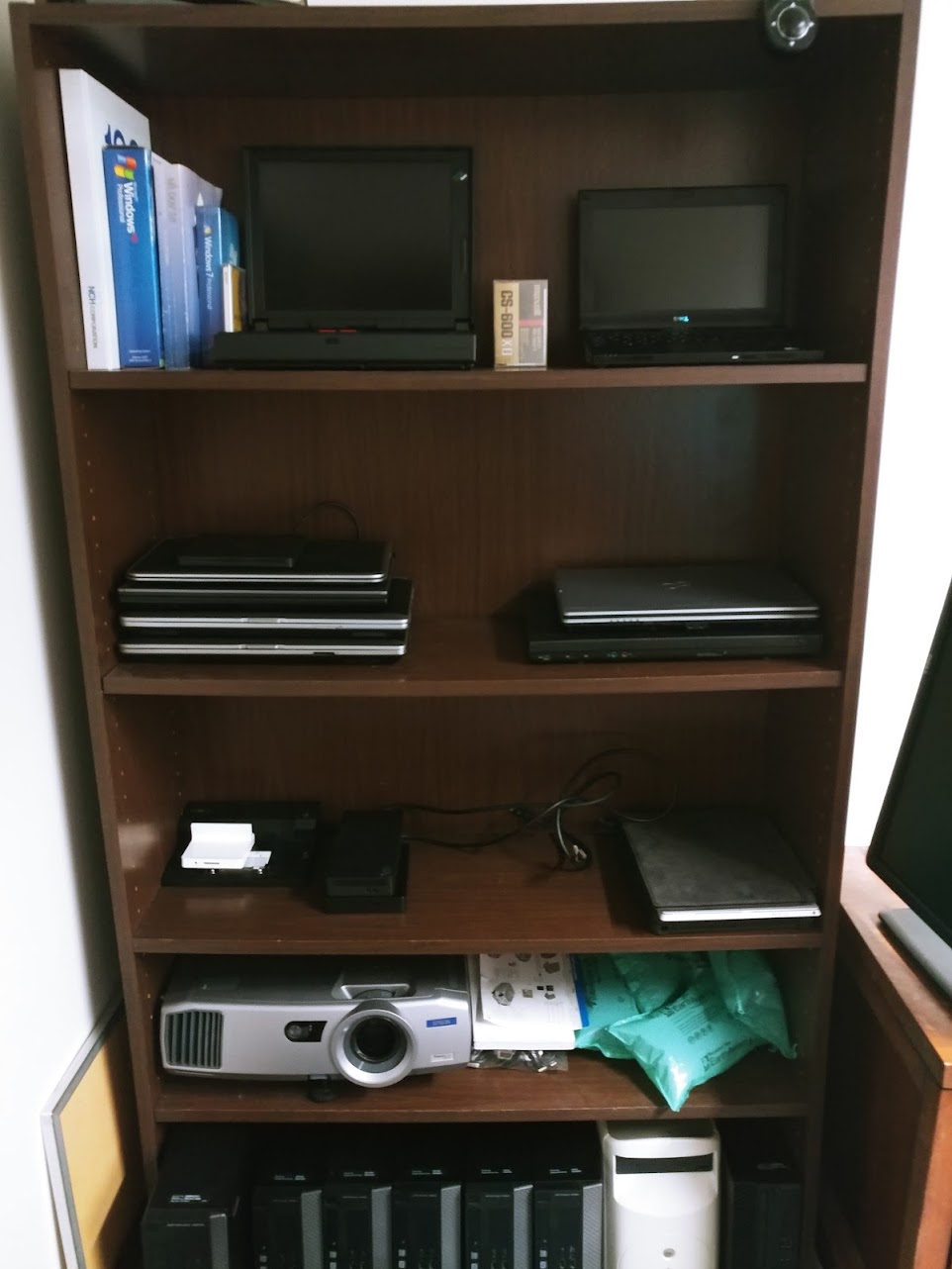
A brief sidebar: what is nuggeteering? Nugget engineering, using tech skills to get the absolute most out of nugget electronics. And what’s a nugget? I’ll let DankPods explain that for you. In essence though, it’s anything (electronics, cars, instruments, etc) that was never actually all that good, but was still “usable”. Sometimes that word gets stretched a bit (or extremely) thin and pulled narrow, but doing something with a laptop that shouldn’t be able to do anything is extremely, extremely fun.
Back to the Latitude 2110, or as I christened it, “NugBook”. Powering it up for the first time, hearing that rusty-old spinning idiot hard drive screech to life, and seeing the screen come to life, was magical. This thing shouldn’t do anything. I’m surprised the capacitors haven’t all either long-since leaked or gone on strike the second I connected it to power. Imagine my further surprise when I discovered that the battery was completely and totally fine. Like, 80ish-percent of its listed capacity after over a decade. That never happens, and in fact, a cooked battery is the most common discovery with any old laptop I acquire. So, with a good battery, everything seeming functional, and enough spare parts to restore just about anything, I set about reviving the NugBook and dragging it to new heights.
First thing first was getting the bastard opened up. On the bottom, I spied 4 conspicuous Philips screws. “Perfect!” I think to myself, “opening this is going to be so easy.” So I remove the 4 screws, and attempt to pry the bottom cover off. Nothing happens. I go at it with a guitar pick. Still nothing. I bust out my metal spudger used for cracking open iPods. Nope.
Turns out, this thing opens like an idiot, and the 4 screws in the bottom can be ignored for a hot minute in the disassembly.
Instead, one is supposed to start by removing the battery, and then removing two hidden screws underneath it that hold the keyboard down. One then takes a long stabby thing and pokes through the screw holes to push the keyboard out. Then, gotta be careful to not pull the keyboard too hard once you have it popped, as the flip-up FFC connector is fragile. Observe:
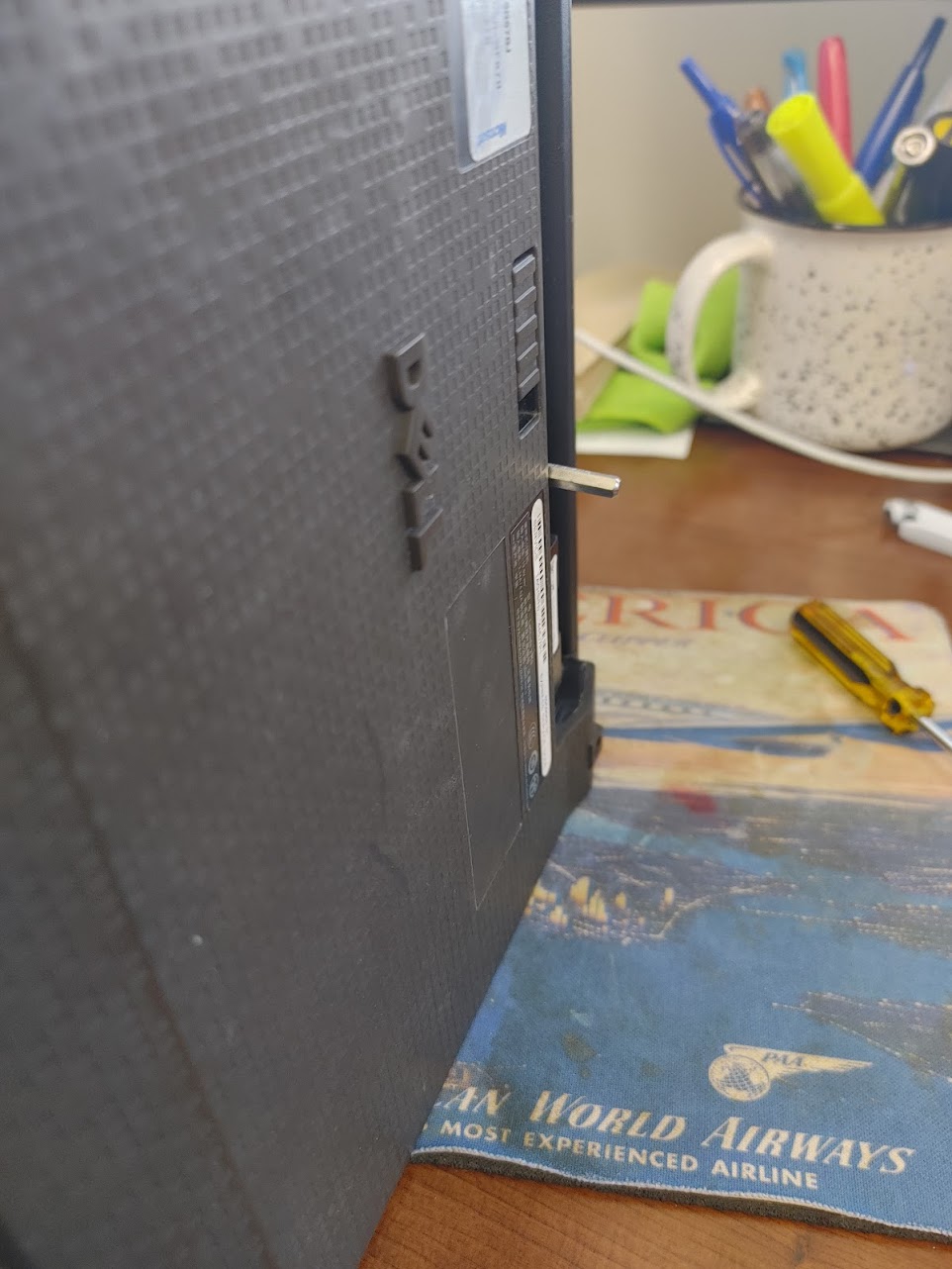


Once the keyboard is out, note the 3 more screws underneath it. These are the ones that actually hold everything together, and need to be removed before the 4 bottom screws do anything useful. But, once these 7 final screws are out, the laptop’s bottom cover easily slides off, revealing the glorious guts inside.
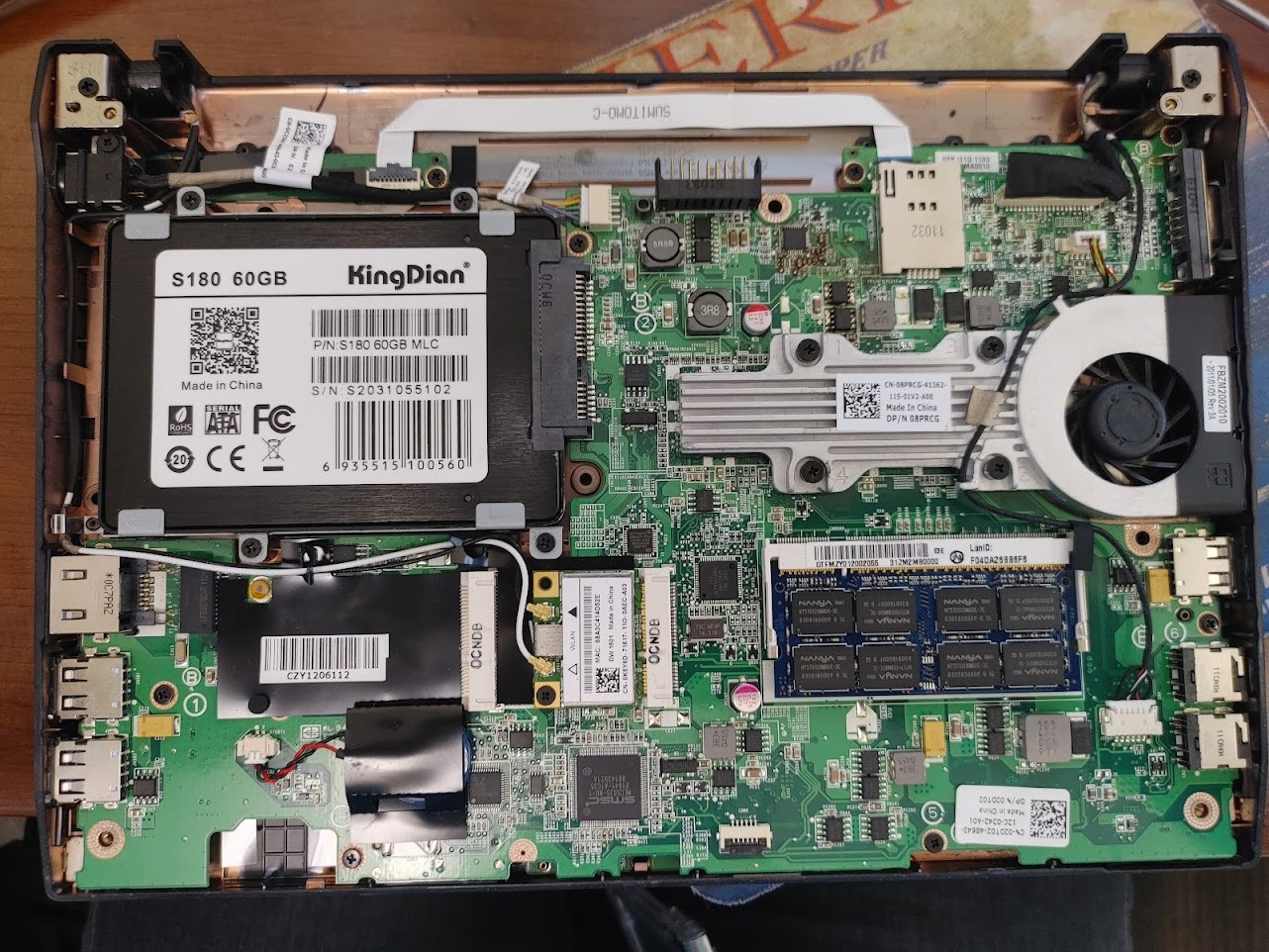
This, by the way, is the “after” photo, if you didn’t immediately notice the SSD. But, for the purposes of making this an interesting narrative, let’s just look past this as I run through what’s been done. First up, out came the spinning rust and in went a basic SATA SSD, of which I keep a stash on hand for random stuff like this, as even a cheap, bog-standard SSD will knock the pants out of any mechanical hard drive for speed and power usage, plus when I say cheap I really mean cheap. I’ve gotten multiple of these for under $10, and for some as little as $4 on eBay or in other random deals. Usually these simple ones are 60, 120, maybe 240gb, enough for an OS and some software but not so big that it feels wasted in a nugget, and cheap enough that the project expense won’t break the bank. Next up was upgrading the stock 1GB stick of DDR2 ram to 2GB, the maximum that’s supported not just by the laptop’s motherboard but by the CPU architecture itself. I also repasted the CPU, something I insist on doing every single time I open an old laptop for the first time, even though it’s not the most necessary, but because it’s technically best practice, and also feels like the right thing to do.
Hardware-wise, that’s it. We’re left with the fastest, most optimized Atom N470 netbook possible. Everything else we want to do will need to be done with software to make the most of these paltry specs.
The choice of operating system was a difficult one. While the Atom N470 is technically a 64-bit cabable CPU, it’s only just barely, to the point where a lot of modern software flat out refuses to run due to missing instruction sets. A lot of that is due in no small part to its age – it is, after all, a CPU from 2010 – but that alone doesn’t explain it as some of the Intel Core CPUs from the same era hold up far better in the current day. And here lies the unique quirks of Netbooks and Nuggeteering: Netbook CPUs don’t work the same as regular laptop CPUs. They’re cut down to run at lower voltages and lower wattages, to achieve that battery life over a comparable laptop while putting out less heat (since wattage is both the electricity consumed and the heat expelled), at the rather substantial cost of performance. There’s no one smoking gun that they remove, either, it’s a lot of corners cut and “minor” features removed which all add up to a very slow experience.
But I digress. We’re talking about operating systems. When this thing was brand new, Windows 7 was still in its first lap around the sun, XP was at peak juggernaut status, Vista was, well, Vista, and 2010 was set to be the year of the Linux Desktop for real this time. That helps us narrow down things to try installing on here. XP is always a strange giggle to fire up again, moreso given that my muscle memory of XP is more-or-less gone at this point, but that also means that dealing with fiddly laptop drivers (read: hell) in an OS that hates connecting to the internet. And in my recent experience doing some legacy shenanigans, Windows 7 is dramatically easier to get going with (thanks to some extremely dedicated nerds backporting patches), in some ways even moreso than when it was new. But I’ve done plenty with Windows 7, even running it as a primary OS either at home or at work until around the pandemic, so it’s not nostalgic so much as it’s what I think of when I think about Windows.
I guess that leaves Linux, then. And it’s not a bad choice here; the Latitude 2110 (and many of the Latitude 21XX series netbooks) offered Linux installed from the factory, usually Ubuntu. In fact, I recall several of my friends in high school rocking Ubuntu on netbooks from Acer or Asus or Toshiba back in the day, and I myself first got serious about using Linux around the same time. Linux it is, then.
Next question: which distro? No, shut up, I’m not installing Arch on a netbook… yet. I already did an Arch install on my X230. And no, not Gentoo either. I’m having fun with old laptops, not torturing myself. The choices are going to be restricted to the Greater Deb-untu ecosystem. Debian, Ubuntu, Linux Mint, etc. These have the right combination of easy-enough to install, with light desktop environments available out of the box, strong support for random hardware (especially wireless networking!), and plenty of documentation online for solving any weird problems that pop up.
Narrowing things further is the desktop environment, and out of the gate, I’m ruling out my beloved KDE because it’s just not going to be happy with only 2gb of RAM. GNOME is out too not just because it’s hungry for RAM now too, but also because current GNOME sucks. This project is likely going to require something even lighter than the normal lighter options, where stock XFCE might be pushing things.
My first attempt at booting a live installer is Debian XFCE to see what happens, and it’s slow. It takes more than 10 minutes to finish booting into the live environment. This is that 2GB of RAM crying out in pain while this silicon Frito converts electrons into lukewarm keyboard keys. This thing is not happy. I hard reboot to the Debian Installer to try and conserve resources, but it’s still a challenge. I’m running off ethernet in my old office (a windowless former conference room lovingly christened “The Bunker”) to try and get an OS installed as easily as possible, but it’s a slideshow. I get to the actual meat of the installer, give it literally hours to try and finish, but when I leave to catch the bus to my series of 3 trains home at 5:30, it’s still running. I leave for the weekend, and on Monday morning, I discover that the NugBook has hijacked every DHCP lease and IP address for the building, knocking everyone offline in the process. Oops!
After helping m’colleague un-fuck the DHCP problem I caused, I try firing up the installed OS, and find that surprisingly, it’s OK. It’s not as bad as I expected it to be, it’s usable, it gets online, but the idle RAM usage is high and the desktop environment lags too much to not annoy me. I’m used to slow tech. I love slow tech. I love slow tech more than I reasonably should, and evangelize it to others as I think it’s legitimately better to use. But this copy of Debian with XFCE is not doing it for me. Too much of a headache, it’s not fun. Time to find something better.
Another quick tangent, on why it’s good to use slow computers: Slow computers build patience and character. Instant gratification, whether through shopping on Amazon Prime, streaming media with Netflix or whatever, high speed mobile data connectivity, any of it, it causes impatience and breaks the brain’s ability to cope with boredom. Having to wait for your computer to do things, whether its starting up or opening Discord, this is good. Same reason why I rarely use instant streaming. I’d rather acquire and organize any TV or movies or music I want, with the deliberateness and consideration that it takes, than click a button and stream anything immediately. Faster isn’t always better, and instant is rarely good. If you don’t believe me, take a break from immediacy for a week, and see how much more you appreciate everything you do. If you’re really feeling bold, swap a laptop for your smartphone when you’re doing things around the house. Having to take the time to get a laptop out and open and turned on, you’ll spend far more time doing something fulfilling or meaningful, and less time doomscrolling. Trust me. We used to live like this, and we lived happier. I’m already happier putting my phone down and rocking nugget laptops instead.
Back to the OS hunt, and for this, I turn to one of the best websites for anyone looking to play around with Linux: DistroWatch.com. This place has been around seemingly forever, it’s filled with information on nearly every Linux distribution to ever exist, and has – by far – the best search function for finding the right distro, even including BSD, Solaris, and other even weirder things! Using this happy little tool, I punch in OS Type = Linux and Category = Netbooks, and mash go. Out pops five results: Puppy Linux, Bodhi Linux, Lubuntu, wattOS, and Runtu. Puppy and Lubuntu, I’m already well familiar with. Puppy is fantastic and delightful. It runs on actual garbage (I’ve done it!), can exist entirely from a live USB without requiring an install, and is the fastest and snappiest OS I’ve ever used, ever. It’s extremely limited in what it can do for a permanent OS, but for what it is, it’s amazing. Not super suitable for this project, but thought I should mention. Lubuntu is a flavour of Ubuntu using the LXQt desktop environment, and would be extremely promising, if not for a grudge I have with Ubuntu’s mothership. If this post weren’t already sufficiently rambly and verbose, I’d dive down that tangent, but that one can be saved for a latter day. That said, the grudge also rules out Runtu (which is also primarily aimed at Russian language support anyway), leaving us with two things to try: Bodhi Linux and wattOS.
Bodhi gets first crack, and I go through my normal process of downloading the ISO, dropping it on a bootable USB, firing it up, and… nothing. The thing gets stuck perpetually loading. I try again with different versions and different ISOs from the website and the best I get is an extremely glitchy live experience that seems to not properly recognize the laptop bits of the NugBook, namely the trackpad. Next!
wattOS is interesting. At its core, it’s a stripped down version of good ol’ Debian running LXDE desktop, designed to be as efficient and simple and fast as possible. And it is! Not only does it boot pretty quickly, it feels pretty good to use! Since it’s Debian based, that means bodging in random nonsense works just as it would in Debian or Ubuntu or my good friend KDE Neon, so signs are promising. And yet. I start using it more heavily, watch the RAM usage climb, and start to think “we can go lighter!”. So, back to DistroWatch. This time, instead of Netbook specific, we’re going for Old Computer specific.
Right away, I find antiX, a distribution that prides itself on running on Pentium III machines from the 1990s with 256mb of RAM. Perfect. antiX achieves this by using extremely streamlined window managers rather than a full desktop, allowing for a lot of mix-and-match configuration to get it dialed in. I fire it up, and sure enough, it’s great, it’s actually fast on the NugBook, and this laptop has become pleasant to use. It’s still slow browsing the web (or more accurately, attempting to), and trying to get Discord to work on it led to me getting API rate limited, but it does in fact work. Last thing to do is to make it mine with a bit of customization.


Perfection.
 John Michael Lenard